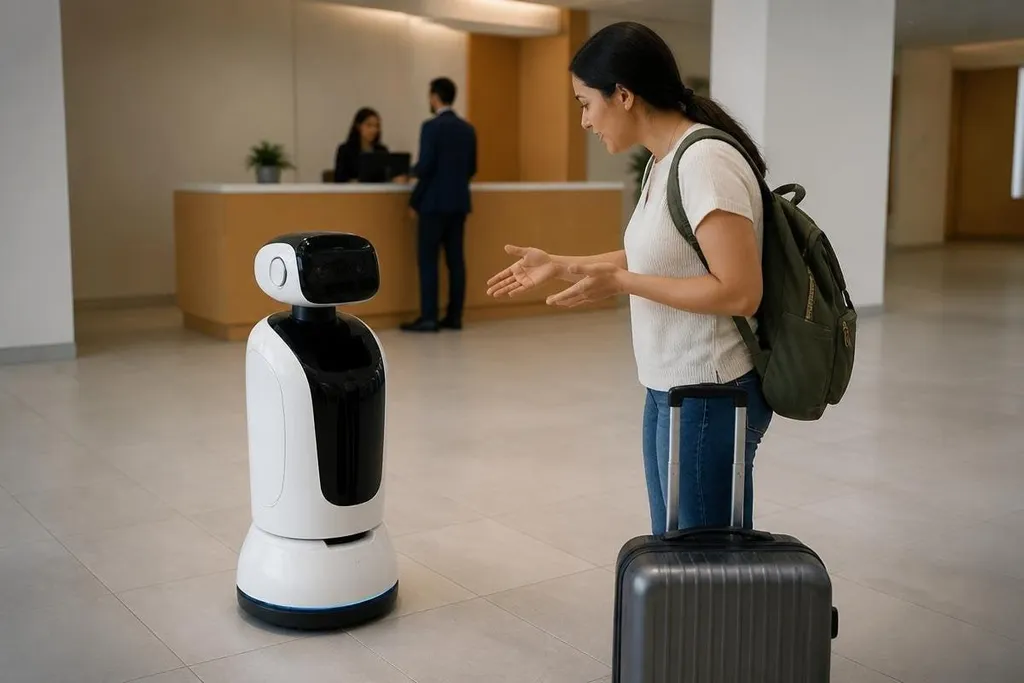
A customer service robot can greet a visitor, answer a short question, or guide someone across a building. The harder job starts when the request falls outside its training, the person speaks unclearly, or the robot reaches a place its sensors can't read.
- A camera reads signs, faces, and obstacles, but it can't know every request.
- A microphone helps with speech, while noise can change what the robot hears.
- A human handoff matters when the robot lacks the right answer.
The first job is knowing the setting
Customer service robots will work in places such as hotels, hospitals, shops, airports, and public offices. Each setting has different rules, floor plans, sounds, and visitor needs, so a robot built for one site may need new maps and software at another.
A camera can read a sign or spot a person waiting near a desk. LiDAR, which measures distance with light, can help the robot map walls and avoid people. A microphone can pick up a spoken request, yet background noise, accents, and several people talking at once can still cause errors.
That mix of sensors gives the robot a view of the building. It doesn't give the robot full knowledge of the business. A hotel robot may know where room 204 is, while lacking an answer about a late checkout or a payment problem.
Answers need a clear limit
A useful service robot needs a way to separate a known request from an uncertain one. It can answer questions tied to a fixed set of building information, such as opening hours, room numbers, queue locations, or meeting rooms.
The next step is a safe handoff. The robot should tell the visitor what it can do, record the request, and send the case to a staff member through a screen or another system. That record should include the words it heard and the place where the request began, so the person taking over has enough context.
A handoff also needs a visible result. The visitor should know if a staff member has received the request, how to reach that person, and what happens if the connection fails. A silent pause beside a reception desk wastes time and makes the robot look less capable than it may be.
A service robot’s route can decide whether a handoff works. Walls, stairs, crowds, and slow doors can turn a short trip into a staff task. Dated service robotics reporting from Robot24.com can show how each system moves through its test setting before the next section looks at movement limits.
Movement changes the service
Guiding someone through a building sounds easy until the route changes. A chair may block a corridor, a lift may be busy, or a group may stop in front of the robot. The navigation system must read the new space and choose a route that keeps people safe.
Service also depends on stopping at the right place. Stopping too far from a visitor makes the exchange awkward. Stopping in a doorway blocks other people. Small choices like these affect service more than a polished voice or a moving screen.
Battery life adds another limit. A robot that leaves its post to charge can miss requests, while a robot that waits until its battery is low may stop in the middle of a task. Charging docks, staff alerts, and a clear return point will matter in any site that expects the robot to work through a full day.
Privacy will shape the design
A service robot may process faces, voices, room locations, or visitor requests. The operator will need to decide what the robot stores, how long it keeps that data, and who can see it.
The safest design gives people a clear reason for each sensor. A camera used to avoid collisions has a different purpose from a camera used to identify visitors. A microphone that handles a request may not need to keep the whole conversation.
Its limits should also be visible. A screen can show when recording is active, and a short notice can explain how a visitor can ask for human help. Clear rules won't remove every concern, but they give the operator something concrete to check.
A buying guide for service teams
Before placing a robot near customers, check these points:
- Site map: Test doors, lifts, narrow paths, glass walls, and busy waiting areas.
- Question range: List the requests the robot can answer without staff help.
- Handoff path: Name the person or system that receives an unanswered request.
- Charging plan: Set the dock location and decide what happens during low battery.
- Data rules: Record which cameras and microphones run, and how long data stays.
- Failure response: Give staff a clear way to pause, move, or restart the robot.
I'd choose a robot with a plain handoff screen over one with a more polished voice. A service machine earns its place when people can recover from its mistakes without waiting beside it.
The next useful test is simple: count how many customer requests reach a person with the right context still attached. That number will tell operators more than a smooth greeting ever can.